
How to track bills with a bill calendar
A useful bill calendar answers three questions: what is due, when is it due, and has it actually been paid?
By Keel · Bills ·
Free 7-day trial. No card required. Subscribe for $4.99/month to continue; no charge unless you subscribe.
Build the list from your statements
Start with bills from your bank history, provider accounts and recent statements. For each one, record the provider, amount, due date and whether payment is automatic. Include subscriptions you intend to keep, not just large expenses such as rent. A detected recurring charge is a useful starting point, but it does not prove the next amount or date. Review variable bills against the latest statement and look for annual charges that a normal month might hide.[1]
Add the bills in Keel
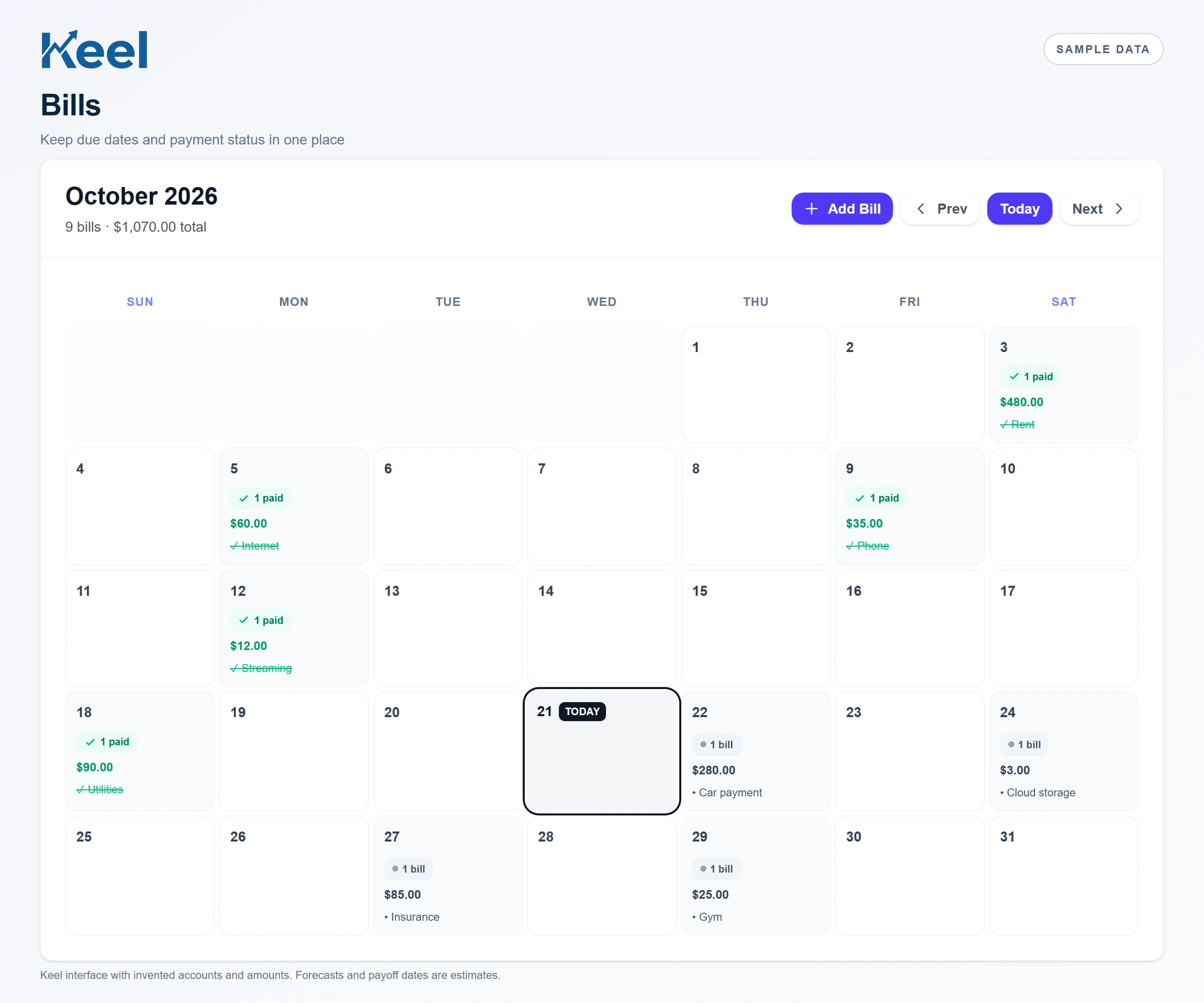
Open Bills and use Add Bill to record an obligation. Check its amount and date before saving, then review how it appears in the calendar. Keel carries bills forward so you can track recurring obligations without rebuilding the whole list each month. As the month changes, check the new cycle against your actual provider statements. An old amount, a changed subscription or a manually entered duplicate still needs your attention. Tracking is most useful when it reflects what you currently owe.
Look at the days before each paycheck
This invented example shows $540 due before the next payday: $480 for rent and $60 for internet. A $35 phone bill arrives after payday. That does not mean $540 is your complete spending requirement; food, transport and other purchases still matter. The calendar makes the timing visible so you can compare those dates with your starting balance and expected income. The CFPB also offers a bill calendar worksheet for this kind of review.[1]
| Day | Bill or income | Amount |
|---|---|---|
| 3 | Rent due | $480 |
| 5 | Internet due | $60 |
| 7 | Expected payday | +$850 |
| 9 | Phone due | $35 |
Treat payment status as a record
After a payment is confirmed, review the bill’s status in Keel. A paid mark records what happened; it does not initiate a payment or cancel an automatic debit. For a credit card or loan, paying this month’s bill also does not mean the entire debt is paid off. If the provider shows an amount still due, investigate it before relying on the calendar. Keep your bank or provider confirmation available when a payment has been sent but has not yet posted.
Avoid listing the same obligation twice
Compare the provider, account ending, amount and payment cycle when two bills look alike. Two cards from one institution can have similar names and different due dates. On the other hand, a manually added bill and a recurring charge may describe the same obligation. Do not delete a record based only on a matching name or amount. Review what each record represents and how it feeds the forecast. A wrong duplicate can make the cash forecast look worse; removing a legitimate bill can make it look better than it is.
Review the calendar together with cash flow
The bill calendar organizes commitments. The cash flow forecast combines timing with balances and expected income. Use both to check an upcoming busy week. If you need a different due date, ask the provider about availability and any effects before changing your plan. Editing a calendar entry inside Keel does not change a provider’s due date. This guide describes bill tracking, not a payment service or a guarantee against late fees.[2]
Footnotes and sources
U.S. consumer education. Sources checked . General education, not an individual financial or legal recommendation.