
How to plan your cash flow before payday
A monthly budget can balance while your account runs short on a Tuesday. Put bills and income in date order to see the gap.
By Keel · Cash flow ·
Free 7-day trial. No card required. Subscribe for $4.99/month to continue; no charge unless you subscribe.
Start with the money you can actually use
Open your bank account and check what is available today. Then look for pending payments, deposits that have not cleared and purchases that have not appeared yet. A recent paycheck in your transaction history is not another future deposit. In Keel, review the connected account balance and its sync status before relying on a forecast. If the number looks old or different from your bank, resolve that difference first. The starting balance is the foundation for every date that follows.[1]
Put the next bills and payday in order
List what must leave the account before your next deposit, with the expected dates. Include ordinary spending such as groceries and transport as well as scheduled bills. Keep uncertain income separate until you know when it should arrive. The Consumer Financial Protection Bureau provides a cash flow budget tool for arranging income and expenses over time. You can use the same approach when reviewing the inputs in Keel.[2]
A sample week with a gap before payday
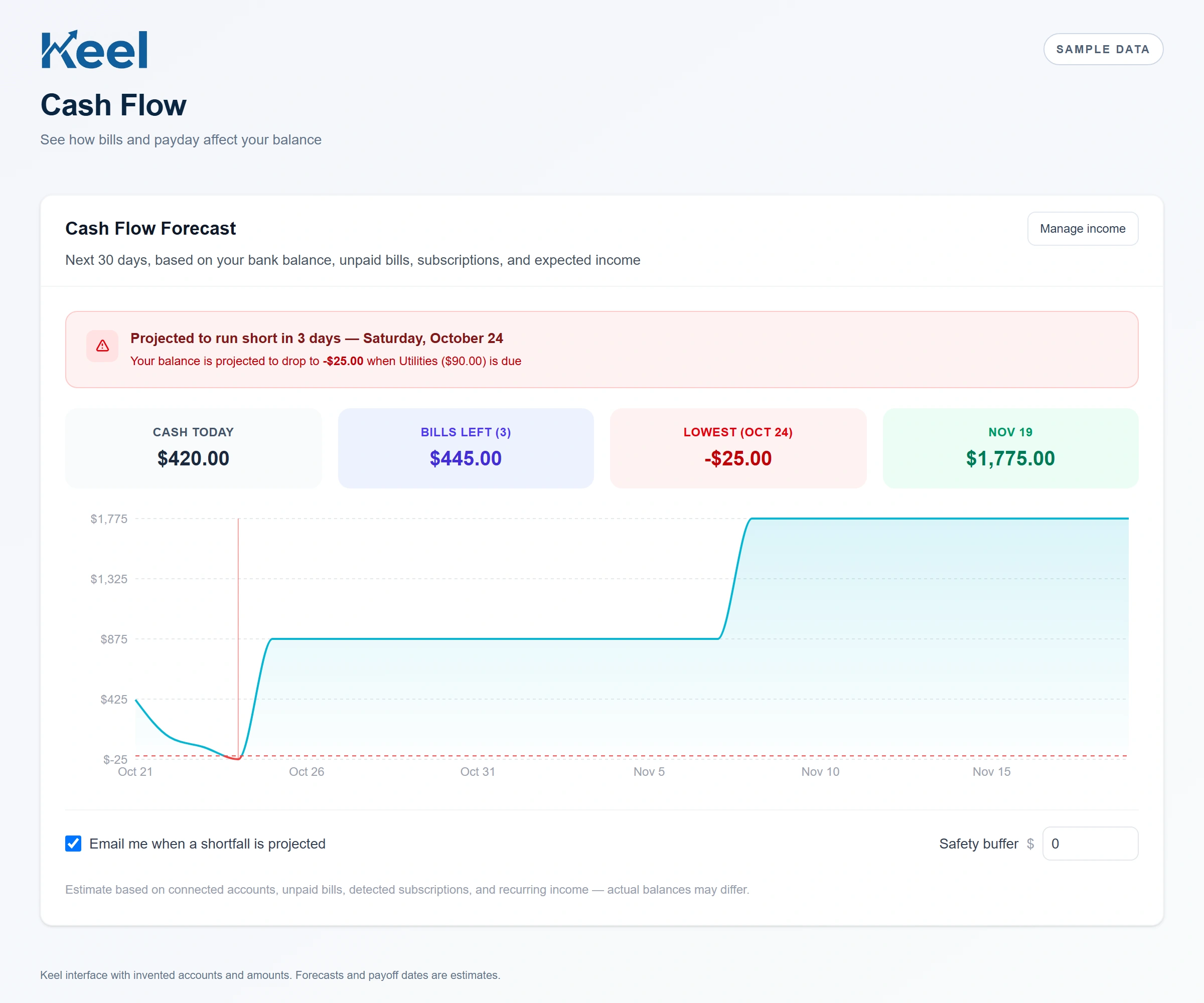
These are invented numbers for a simple example, not a customer account or a screenshot of Keel. Start with $420. A $280 car payment, $75 for groceries and $90 utility bill leave the account before a $900 paycheck arrives. The paycheck makes the ending balance positive, but there is still a $25 gap before it posts. The timing explains why the ending balance alone is not enough.
| When | Money in or out | Projected balance |
|---|---|---|
| Starting balance | — | $420 |
| Day 1 · Car payment | −$280 | $140 |
| Day 2 · Groceries | −$75 | $65 |
| Day 3 · Utilities | −$90 | −$25 |
| Day 4 · Paycheck | +$900 | $875 |
Review the forecast in Keel
In Bills, check unpaid bills and upcoming due dates. Review detected subscriptions and expected income, then open the cash flow forecast from your dashboard. Look at the lowest projected point and the bills around it. Check whether a bill was already paid, an income date is wrong or a payment was entered twice. The chart reflects the information available to the app; missing everyday purchases or a delayed bank import can make the picture incomplete. Keep some room for uncertainty rather than treating the projected balance as money guaranteed to be available.
Investigate a shortfall before changing your plan
First correct inaccurate dates and amounts. Then review discretionary spending and whether a provider offers a different payment date. Contact the provider before relying on a change, and keep the original obligation in your plan until a change is confirmed. Moving a date inside Keel does not change your agreement, stop an automatic debit or send a payment. If a deposit and a bill share a date, confirm the posting order with your bank; do not assume the deposit arrives first.[1]
Make it a short, repeatable check
Review your forecast after a paycheck, a new bill or a large purchase changes the plan. Your goal is to understand the next few dates well enough to make a practical decision. A cash flow forecast is an estimate built from balances, bills, subscriptions and expected income. It is different from a bank statement and cannot predict every charge. This guide explains how to use the tool and is general education, not personalized financial advice.
Footnotes and sources
U.S. consumer education. Sources checked . General education, not an individual financial or legal recommendation.